
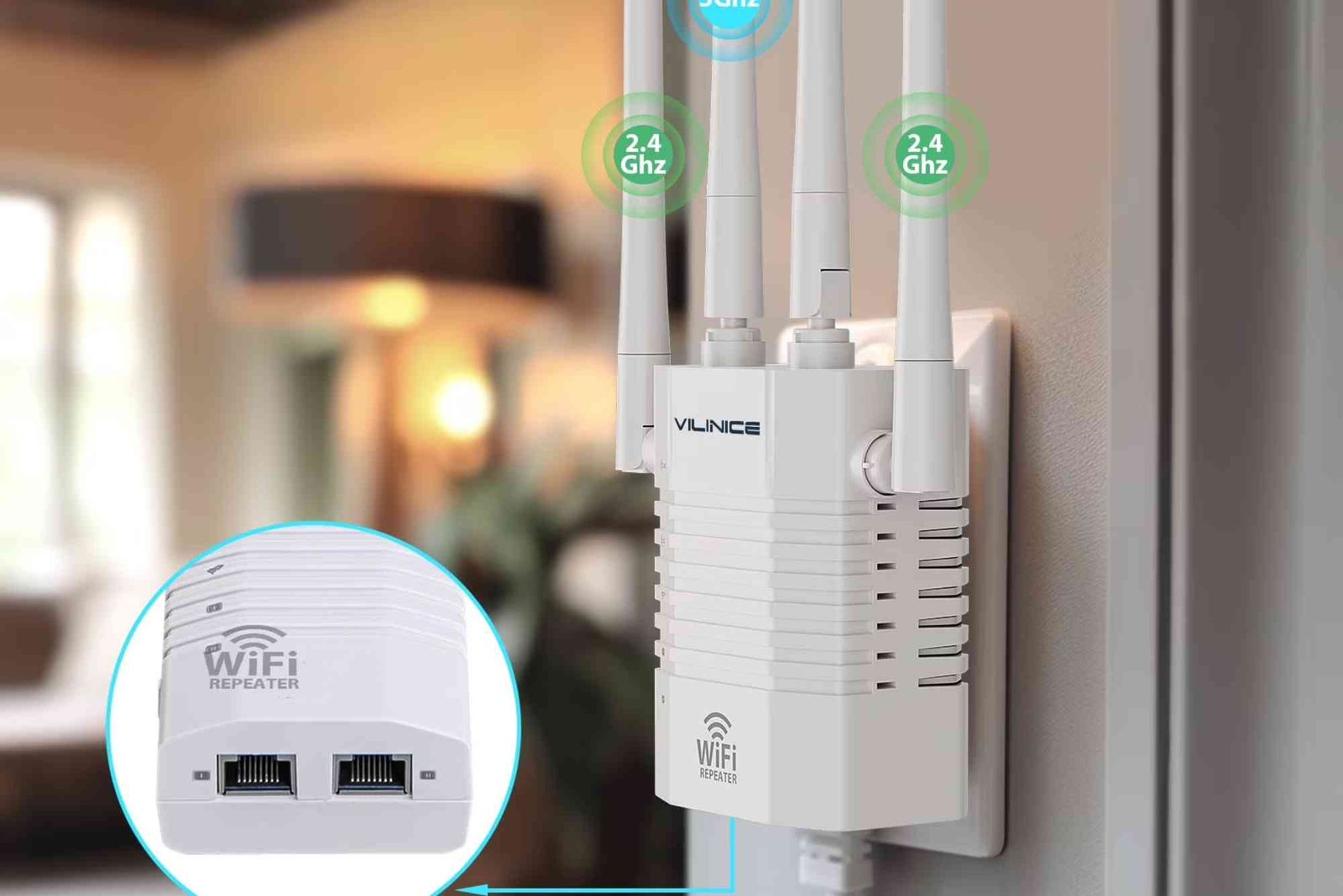
In a world where reliable internet is essential, nothing is more frustrating than weak Wi-Fi signals. Whether you’re working remotely, streaming HD videos, or gaming online, poor connectivity can disrupt productivity and enjoyment. A Wi-Fi range extender with Ethernet port is the perfect solution to these issues, offering a seamless way to expand your wireless coverage while maintaining strong, stable connections.
This guide explains why Wi-Fi range extenders with Ethernet ports are essential, how they improve performance, and why they’re ideal for both home and business use.
What Is a Wi-Fi Range Extender With Ethernet Port?
A Wi-Fi range extender, sometimes called a repeater or booster, is a device that amplifies and extends your router’s signal to reach dead zones. When the extender includes an Ethernet port, it provides the additional advantage of connecting wired devices directly to the network.
This means you can plug in your desktop computer, gaming console, or smart TV for a faster, more reliable internet connection. Essentially, the Ethernet port acts as a bridge between your wireless and wired devices, enhancing flexibility and performance.
Why Choose a Wi-Fi Range Extender With Ethernet Port?
Many users rely solely on wireless extenders to boost coverage. However, models that include Ethernet ports offer several unique benefits that elevate your entire network’s performance and stability.
Enhanced Stability and Speed
Wi-Fi signals can weaken due to distance, thick walls, or interference from other electronic devices. By using a Wi-Fi range extender with an Ethernet port, you can connect critical devices via cable, ensuring stable and high-speed internet without interruptions. This is especially useful for online gaming, streaming, and video conferencing, where lag or buffering can be disruptive.


Reduced Latency
Wireless connections are more prone to delays because they rely on airwaves to transmit data. Ethernet ports provide a direct line of communication between your device and the network, minimizing latency and improving responsiveness.
Flexible Connectivity
Not every device has built-in Wi-Fi support. Older desktop computers, printers, or smart TVs often rely on wired connections. The Ethernet port on your extender allows these devices to enjoy the benefits of your boosted Wi-Fi network without upgrading hardware.
Better Coverage for Large Spaces
Homes or offices with multiple rooms and thick walls often experience Wi-Fi dead zones. A range extender can fill these gaps, ensuring every corner has access to a strong signal. Combined with an Ethernet port, you can guarantee that devices in distant rooms perform just as efficiently as those near the router.
How Wi-Fi Range Extenders With Ethernet Ports Work
When installed correctly, these extenders pick up your router’s existing signal and amplify it across a broader area. The Ethernet port acts as a wired access point, meaning devices connected via cable receive uninterrupted, full-speed connectivity.
Most modern extenders are easy to set up using a mobile app or web interface. Simply plug the extender into a power outlet halfway between your router and the weak-signal area, connect to your network, and you’re good to go.
Once connected, the extender transmits a stronger Wi-Fi signal while allowing wired connections through its Ethernet port. This combination of wireless and wired technology ensures optimized network performance.
Key Benefits of Using a Wi-Fi Range Extender With Ethernet Port
Improved Gaming Performance
Gamers know how frustrating lag and latency can be. A wired connection through the Ethernet port reduces ping times and delivers smoother gameplay. This makes Wi-Fi range extenders with Ethernet ports a favorite among gaming enthusiasts who demand precision and speed.
Seamless Video Streaming
Streaming 4K content or attending virtual meetings requires consistent bandwidth. Wireless-only connections can drop in speed when multiple devices share the same signal. The Ethernet port ensures a stable connection, keeping your streams and calls clear and uninterrupted.
Simplified Device Management
Many homes now feature dozens of smart devices — from TVs to thermostats. Managing these can strain your router. A Wi-Fi range extender helps distribute network load evenly, while Ethernet ports can offload high-demand devices, preventing slowdowns.
Better Security and Reliability
Ethernet connections are inherently more secure than Wi-Fi, reducing the risk of interference or unauthorized access. For professionals working with sensitive data, a wired connection through the extender ensures a stable, secure internet experience.
Choosing the Right Wi-Fi Range Extender With Ethernet Port
When selecting an extender, consider factors like compatibility, speed, range, and the number of Ethernet ports. Dual-band or tri-band models provide faster connections and less interference, ideal for high-traffic networks.
Look for extenders that support the latest Wi-Fi standards such as Wi-Fi 6 for enhanced performance. Also, ensure the device supports your router’s frequency bands to maximize efficiency.
If you need professional assistance or want expert installation, visit Dhanote Internet Services for guidance and support on setting up your Wi-Fi extender system.
How to Set Up a Wi-Fi Range Extender With Ethernet Port
Setting up is straightforward. Plug in the device near your router, connect it through the setup interface, and position it strategically between your router and the area with poor coverage.
After setup, you can connect your wired devices directly to the Ethernet port. Most extenders feature smart indicators or LED lights to help you find the best placement for optimal performance.
Common Mistakes to Avoid
Placing the extender too far from your router is a common error. Doing so results in poor signal strength and reduced speed. Always ensure the extender receives at least half of your router’s original signal strength.
Avoid overlapping network names unless you understand how to manage dual SSIDs. Using the same name for both networks can cause devices to connect inconsistently, leading to slower speeds.
Real-Life Applications of Wi-Fi Range Extenders With Ethernet Ports
A home office benefits greatly from such extenders, especially for users who rely on stable connections for video meetings. Students in large households can also enjoy lag-free online classes and streaming.
In commercial environments, such as retail spaces or offices, Ethernet ports ensure cash registers, surveillance systems, or point-of-sale devices remain connected even when Wi-Fi signals fluctuate.
Even fitness centers like Orange Theory in Mountain View use reliable internet for client check-ins, streaming workout instructions, and connecting smart equipment. A Wi-Fi range extender with Ethernet port ensures every device functions without interruption.
FAQs About Wi-Fi Range Extenders With Ethernet Ports
Q1: Is a Wi-Fi range extender with Ethernet port better than a mesh system?
It depends on your needs. Extenders are more affordable and easier to set up, while mesh systems are better for larger homes with multiple floors.
Q2: Can I use the Ethernet port to connect my smart TV or gaming console?
Yes, the Ethernet port is perfect for connecting any wired device that needs a stable internet connection.
Q3: Will a Wi-Fi extender reduce internet speed?
When placed correctly, a quality extender won’t significantly reduce your speed. Using the Ethernet port ensures maximum data transfer without drop-offs.
Q4: Can I connect multiple devices to one extender?
Yes, most modern extenders support multiple devices, both wired and wireless, without performance issues.
Q5: How far should I place my extender from the router?
Position it about halfway between your router and the area with weak signal. Ensure it receives a strong initial connection before extending coverage.
Expand Your Network the Smart Way
A Wi-Fi range extender with Ethernet port offers the perfect balance of convenience, speed, and flexibility. It helps eliminate dead zones, supports wired and wireless devices, and ensures stable performance across your home or office. Whether you’re gaming, streaming, or working, this technology guarantees uninterrupted connectivity.
Related Reading: Najlepsze bonusy i sloty w polskim kasynie online
Related Reading: Wi-Fi Range Extender Drops Connection
Related Reading: Best Wi-Fi Range Extender Apps
Related Reading: Wi-Fi Range Extender vs Repeater — full guide